Achieving Flame Polished Edges in Acrylic Laser Cutting
Acrylic is one of the materials that performs exceptionally well with CO2 laser cutting and engraving machine, making it widely used across industries such as signage, shopfitting, and acrylic goods production. Across all these applications, customers expect one thing above all: high quality cutting edges with a glossy, smooth, and streak‑free finish that support high productivity. In this guide, we introduce key tips for selecting the right materials and optimizing laser settings to achieve clear, flame‑polished edges and the best overall results.
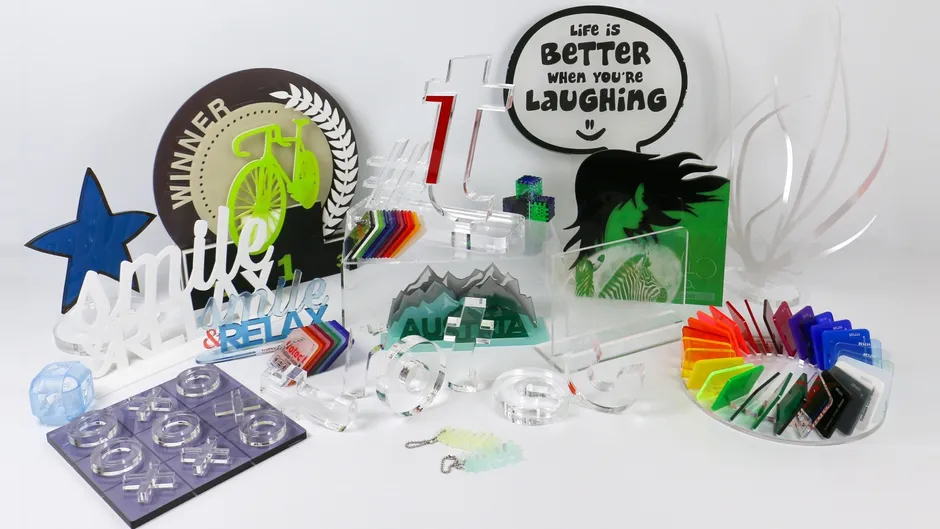
Flame Polishing Acrylic: What It Is and How It Works
Laser cutting acrylic can produce crystal‑clear, flame‑polished edges without additional post‑processing when conditions and material are suitable. Extruded acrylic (XT) in particular yields a flame‑polished cutting-edge during CO₂ laser cutting, whereas cast acrylic (GS) does not produce the same flame‑polished edge, even though it cuts burr‑free and engraves better.
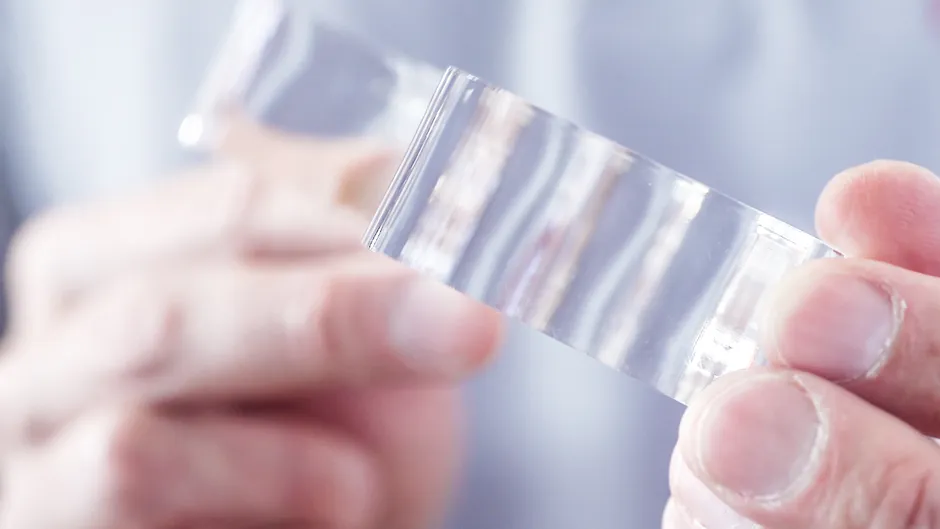
How to Flame Polish Laser Cut Acrylic Edges
Laser cutting acrylic is an art and a science. There are many factors that will play a role in your ability to get the best possible edge; both in the material as well as the laser cutting machine itself. For example, the brand of acrylic and the type of acrylic can greatly impact the job. Other factors include laser power, frequency, speed as well as the laser table setup, focus, gas, exhaust, and material preparation.


Why Flame Polishing Is Commonly Used with Acrylic
CO₂ laser cutting of acrylic enables glossy, polished-looking edges and precise contours without the need for manual flame polishing, sanding or buffing. Eliminating these steps significantly shortens production time, supporting cycle-time reduction and ensuring a process-reliable workflow. This “cut-and-finish-in-one-step” workflow is especially beneficial for signage, displays, retail fixtures and other applications where both speed and premium visual appearance are essential.

Choosing Acrylic for Flame Polishing (Cast vs. Extruded)
Acrylic is made in two ways, cast (GS) and extruded (XT) and each type has distinct material properties. As they react differently during laser processing, so understanding these basic differences helps you choose the right acrylic for your application
- Cast: Delivers burr‑free cuts om both sides, but will require more intense power settings than extruded.
- Extruded: Produces a flame‑polished cutting edge that is less sharp on one side, generally requires less laser power than cast acrylic in the same sheet thickness.

Conditions for Achieving High-Quality and Safe Acrylic Cutting
Exhaust & Ventilation Requirements
Laser cutting acrylic generates vapors inside the machine, and an appropriate exhaust system is indispensable for removing them. Maintaining industrial‑grade exhaust and ventilation conditions is essential for safe and process‑reliable acrylic cutting.
Laser Parameters for Acrylic
Acrylic requires higher laser frequencies than materials such as wood because a higher frequency delivers energy more evenly into the material. This results in uniform melting of the edges, producing the glass-clear, flame-polished appearance.
- GS (Cast): 5,000–20,000 Hz
- XT (Extruded): Up to approx. 5,000 Hz
If the frequency is too low, fine ridges (chatter marks) may appear. Adjusting frequency or speed can reduce these, but excessively slow cutting speed can widen the kerf and increase fire risk.Finding the correct balance between power, speed, and frequency is essential for maintaining both edge quality and safe operation.
Masking Types and Their Impact
Masking impacts edge quality. In many markets, cast acrylic typically comes with paper masking, while extruded may have paper or film. Film masking is easier to cut and often does not require removal before cutting, whereas leaving paper masking on the top side can cause flaming/char, damaging edges. These factors directly affect whether clean, flame‑like edges can be achieved.
Laser Settings for Flame‑Ready Edges
Producing smooth, flame‑ready edges requires not only correct laser settings but also stable and precise machine motion. Key factors include proper lens selection, accurate focal position, well‑balanced power and speed settings, and minimizing vibration to ensure straight and polished edges.
A 2.5″ lens generally works well for acrylic sheets up to approximately 3/8–1/2″, while longer focal lengths are recommended for thicker materials to maintain edge uniformity. Slower cutting speeds combined with lower power can also help reduce waviness, and both lens choice and exact focus position directly influence edge quality and overall consistency.
Tips to Reduce Acrylic Haze
To minimize haze or cloudiness on the acrylic surface:
- Use moderate air assist (up to approx. 0.2 bar) to prevent dust from blowing back onto the material.
- Use a large‑diameter nozzle and reduce airflow when possible.
- Using dedicated distance holders helps improve airflow beneath the sheet and ensures cleaner, more consistent results. Slightly elevate the material using spacers to reduce back reflections and residue buildup.
These adjustments help the material cool evenly and support the creation of crystal‑clear edges.