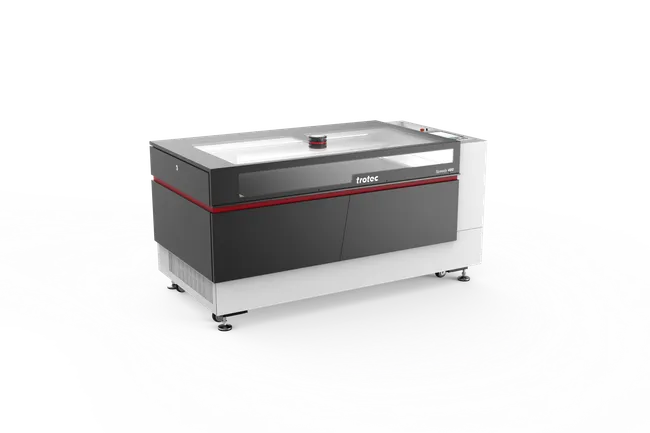
Leather belt with filigree design
Learn how to quickly refine a simple leather belt.
Leather belt with filigree design
Learn how to quickly refine a simple leather belt.
Preparation
Materials
- Belt made of vegetable-tanned natural cowhide leather (1/8" thick, 1.5" wide), 41" total length including belt buckle
IMPORTANT: Natural and synthetic leathers may produce hazardous byproducts when laser cut and/or engraved. Ensure that your belt is safe to laser process.
Trotec Laser and Accessories
Depending on the length of your belt, another laser system from the Speedy series can be used for this application.
Step by step
Step 1: Prepare the Design
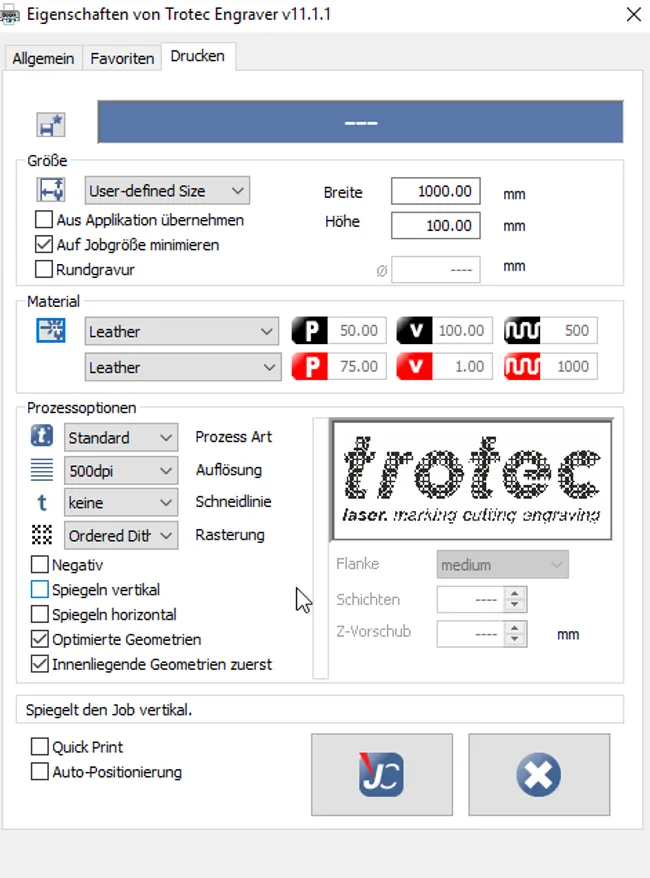
Create your own design, or use download our template (above) and make any desired adjustments. Send the artwork to JobControl® using the following settings:
Print Settings
| Process mode | Resolution | Cut line |
|---|---|---|
| Standard | 500dpi | none |
| Halftone | Others |
|---|---|
| Ordered Dithering | Optimized geometries, inner geometries first |
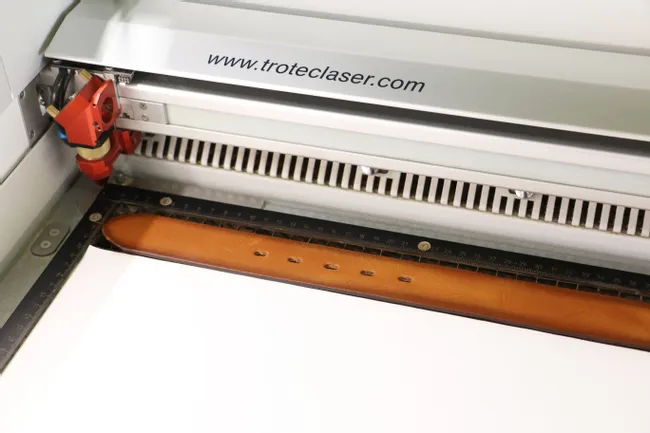
Step 2: Laser Process the Leather Belt
Lay the leather belt flat on the aluminum grid table so that the belt buckle is on the right side. For the best results, position the belt so that it is 1/2" below the top side of the laser's work area. Also ensure that the belt is straight — the aluminum grid helps with alignment.
Cover the remaining work area (e.g., with standard printing paper) to concentrate the vacuum's suction force on the leather belt. This technique prevents workpieces from moving during laser processing.
Enter the laser processing settings below, and proceed to cut and engrave the leather belt.
NOTE: The optimal laser processing parameters may vary depending on your specific laser system and its available wattage.
Laser Parameters
| Color | Process | Power (%) | Speed (%) | ppi/Hz |
|---|---|---|---|---|
| black | Engrave CO2 | 50 | 100 | 500dpi |
| red | Cut CO2 | 75 | 1.0 | 1000 Hz |
| Passes | Air Assist | Z-Offset | Direction | Advanced | Path planning |
|---|---|---|---|---|---|
| 1 | on | +2 | Top down | High quality | - |
| 1 | on | -1 | - | - | Accuracy |

Step 3: Clean the Leather Belt
Remove the belt from the laser's work area once laser processing is complete. Gently clean the belt with a lightly moistened cloth.

More Ideas
- Experiment with engraving dyed leathers (you will achieve different results depending on the specific dye)
- Delve into womenswear by experimenting with laser cutting corset and cinch belts
- Offer your clients personalization services for their leather belts and other goods